
Moving to MidexPRO


Moving To MidexPRO
MidexPRO understands that your Practice requirements change over time. You may have outgrown your current Practice Manager Software or simply decide to seek out a new alternative.
Whatever the reason, the MidexPRO Migrations team have the tools and experience needed to facilitate the import of your data from your current provider, over to MidexPRO.
There are no hidden costs when buying your version of MidexPRO, We will not charge you to move Software providers and we don’t charge to upload your data to the MidexPRO servers. We provide this service completely free of charge*.
View our collection of in-depth videos about MidexPRO or view below our list of Frequently Asked Questions which may answer some of your questions or concerns. If you have a question not covered, call 0330 999 3399 or email Support@midexpro.com
*Should a data import be required after your initial start date, there will be costs involved. To know what these costs are please get in contact.

Frequently Asked Questions
How Long Will This Process Take?
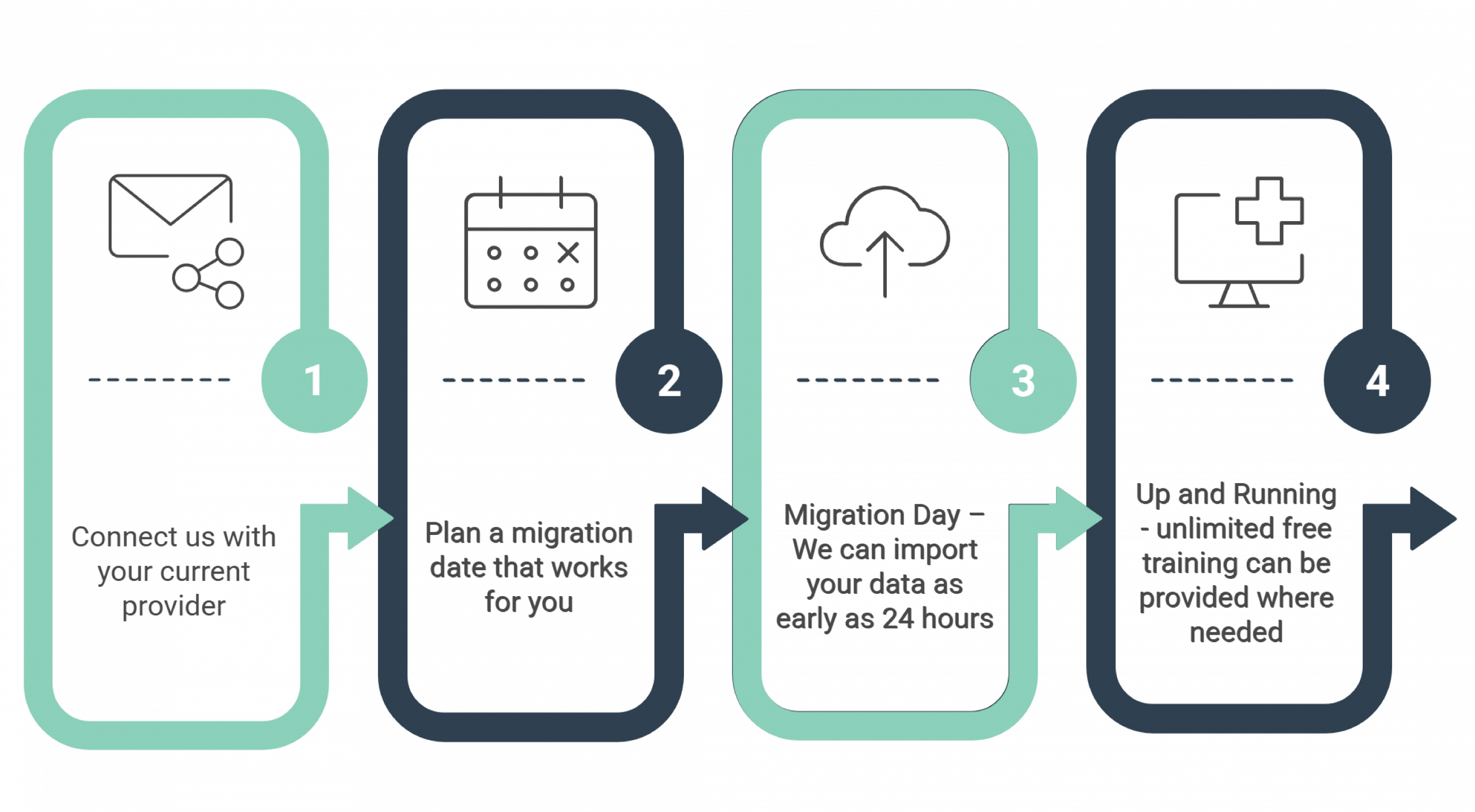
The MidexPRO Support team, work with you to ensure the amount of time you are without access to your data, is minimal. Migrations from one system to MidexPRO can be completed in as soon as 24 hours.
How Much Will It Cost?
MidexPRO is tailored to your individual needs and therefore, one size will not fit all. The cost to buy a system is based on need and the Support Team will work with you to establish your requirements before quoting. Importing data into a new MidexPRO Account is completely FREE.
How Secure Will My Data Move Be?
Very. In GDPR terms, you are the Data Controller and therefore, ‘own’ the data. It is the responsibility of your current provider to ensure your data is provided to you/us in a secure and readable format for our Software Team to import to a clean version of MidexPRO. Learn more about how MidexPRO is GDPR compliant.
How Do I Know What Format My Data Is In?
When looking to migrate to MidexPRO, connect us with your current provider and we can help take care of the rest! We want to keep things as simple as possible for you to ensure a smooth transition. This means we will discuss the intricacies of data formats with your current provider so you don’t have to
What Happens When My Data Is Fully Imported?
Once your data is successfully migrated to MidexPRO, you and your team will receive individual logins to aid with Audits. We arrange full training on the system prior to use, and this can be run on a 1-2-1 basis or in a group session.
MidexPRO, operates role-based access to the software: if you have a secretary who only needs to see diaries or invoices, you instruct Support to set permissions from the start.
What Information Will Be Imported Into MidexPRO?
All Practice Management systems are written in different code and therefore, the ‘language’ of one system will be different to any other. MidexPRO has the tools to guarantee the import of the following:
- Patient Demographics e.g., address, contact information, and Insurer
- Patient Invoices
- Patient Documents/Notes
- General Practitioner details
Once imported, we can help you or your secretary set up the rest of your MidexPRO practice for example: letter templates, diary and eBilling.
We have experience in moving data from many providers, this consists of but not limited to DGL, Semble, PPM, Meddbase, Pabau, Carebit, e-clinic, Write Upp, PHF, PPS, Medesk, and iMedDoc.
Even if your current provider is not listed above, our Software Team can create a bespoke tool to import your data to get you up and running.